Asking questions about your medication shouldn’t mean waiting on hold for 20 minutes or leaving voicemails that never get returned. With secure messaging, you can get clear answers about your prescriptions-without risking your privacy. And it’s not just convenient. It’s safer. In fact, secure messaging reduces medication errors by up to 37% compared to phone calls, according to a 2023 study in JAMA Network Open.
Why Secure Messaging Is the Right Way to Ask About Medications
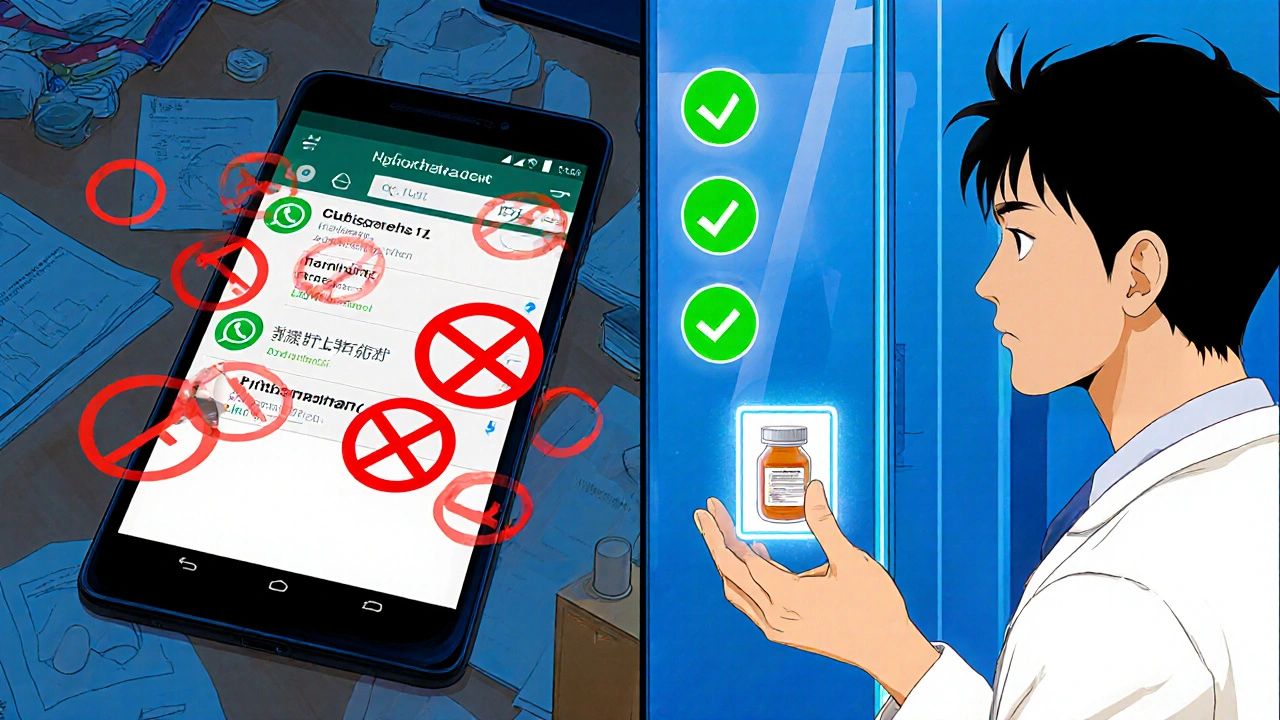
Most people still use regular text messages or email to ask their doctor about meds. That’s risky. If you send a message like, "I’m taking 50mg of metformin and my stomach hurts," over regular SMS or Gmail, you’re breaking federal law. That’s because your medication details count as Protected Health Information (PHI). Under HIPAA, PHI must be sent only through encrypted, audited systems. Secure messaging platforms like Epic’s MyChart, Cerner, and My HealtheVet are built for this. They encrypt every message, track who read it, and only let authorized people see it. They also separate your medication questions from general ones so pharmacy teams handle them faster. In 2024, the Joint Commission officially allowed secure texting for medication orders-something they banned in 2016. That change didn’t happen by accident. It happened because these systems proved they work.How to Set Up Secure Messaging for Medication Questions
Before you can ask about your pills, you need to set up your account. Here’s how:- Log in to your provider’s patient portal. This is usually called MyChart, Patient Gateway, or something similar. If you don’t have an account, call your clinic’s front desk-they’ll send you a link to sign up.
- Add all your medications. Go to the "Health Records" section, then "Medications & Allergies." Type in every pill, patch, or injection you take-even over-the-counter ones like ibuprofen or melatonin. Don’t skip anything. Missing info leads to wrong answers.
- Enable secure messaging. Some systems require you to turn it on manually. Look for a "Messages" or "Secure Messaging" tab and click "Activate."
- Set up multi-factor authentication. You’ll get a code via text or email to log in. This stops hackers from pretending to be you.
How to Write a Medication Question That Gets a Fast Answer
A vague message like "Help with my medicine" will get ignored or delayed. Clinicians get hundreds of messages a day. You need to make it easy for them to help you. Use this formula:- Medication name: Write both brand and generic if you know them. Example: "Lipitor (atorvastatin)"
- Dosage: "I’m taking 20mg once daily"
- Frequency: "Every morning with breakfast"
- Your question: "Is it okay to take this with grapefruit juice?"
- Context: "I started this last week and now I have muscle pain"
What Not to Do
There are big mistakes people make-and they’re dangerous.- Don’t use WhatsApp, iMessage, or regular email. Even if your doctor says it’s okay, it’s not legal. A $3.2 million fine was paid in 2023 after staff used WhatsApp to coordinate meds.
- Don’t ask about urgent issues. If you’re having chest pain, trouble breathing, or swelling after a new pill-call 911 or go to the ER. Secure messaging isn’t for emergencies. 97% of clinics ban it for urgent cases.
- Don’t skip attaching a photo. If you’re reporting a rash, nausea, or strange side effect, take a picture of the pill bottle. 85% of platforms let you upload photos. It saves time and prevents mistakes.
- Don’t forget to check your portal, not your email. Most systems disable email notifications for medication messages. You’ll get a push alert or login notification instead.
Which Platforms Work Best for Medication Questions?
Not all secure messaging is the same. Here’s how the big ones stack up:| Platform | Market Share (U.S.) | Key Strength | Response Time | Special Feature |
|---|---|---|---|---|
| Epic MyChart | 55% | Widest adoption | 24-72 hours | One-click renewal for maintenance meds |
| Cerner HealtheIntent | 18% | Strong EHR integration | 24-72 hours | Automated refill alerts |
| My HealtheVet | Used by VA (92% patient adoption) | Clear categories | 48 hours | Separate "Medication" tab reduces confusion |
| Updox | Smaller clinics | Direct pharmacy links | 12-48 hours | 68% of refills auto-approved without clinician input |
| TigerConnect | Specialty care | Complex regimens | 24-72 hours | 92% accuracy on multi-drug questions |
What to Expect After You Send the Message
You won’t get an instant reply. That’s normal. Secure messaging is for non-urgent questions. Most responses come in 24 to 72 hours. But here’s the upside: you get a written answer you can save, share, or refer back to. No more forgetting what your doctor said. Some systems auto-reply with general info-like "Your refill request is being reviewed." That’s fine. But if you don’t hear back in 72 hours, check your portal again. Sometimes messages get buried. If you still don’t see a reply, call the pharmacy line. They can check if your message was received.Real Tips from Patients Who’ve Done This Right
Reddit users and Healthgrades reviewers share what actually works:- Include your pharmacy’s NABP number (it’s on your prescription label). One patient said it cut their refill time in half.
- Use the template. MyChart’s built-in medication question form asks you step-by-step for dosage, timing, and symptoms. Use it. 78% of users rate it "very helpful."
- Don’t send the same question twice. It delays everything. Wait 72 hours. Then check the thread. If you still don’t understand, reply to the same message.
- Check your meds list regularly. If your portal shows a pill you don’t take, fix it. That prevents future mistakes.
What’s Next for Secure Messaging?
By 2026, AI will auto-fill your medication history when you start a new message. That means less typing and faster answers. The government also requires all certified systems to use structured templates by December 2025. That’s good news-it means fewer missed details and less back-and-forth. The bigger shift? Pharmacy integration. Blue Cross Blue Shield and Epic now auto-approve refills for 1.2 million maintenance meds every month-no doctor needed. That’s the future: safe, fast, and hands-off.Frequently Asked Questions
Can I use secure messaging to ask for a new prescription?
Yes, but only for refills of existing medications. You can’t use it to request a new drug for a new condition. For that, you need a visit or phone call. Secure messaging is meant for managing meds you’re already on-not starting new ones.
What if my provider doesn’t use secure messaging?
Ask if they plan to adopt it. Many small clinics are still catching up, but 87% of U.S. healthcare systems now use it. If yours doesn’t, request a patient portal account. If they say no, consider switching to a provider who does. Your safety and convenience matter.
Is secure messaging free?
Yes. There’s no extra charge to use secure messaging through your provider’s portal. It’s included as part of your care. Be wary of third-party apps that ask for payment to send medication messages-those aren’t HIPAA-compliant.
Can I send a message after hours?
Yes. You can send a message anytime, day or night. But responses only come during business hours-typically Monday to Friday, 8 a.m. to 5 p.m. Don’t expect a reply at 2 a.m. unless it’s an emergency, and even then, secure messaging isn’t the right tool.
How do I know my message was received?
You’ll see a "Sent" status in your message thread. Some systems also send a push notification or in-app alert. If you don’t see any status change after 24 hours, log in again and check the folder. If it’s still not there, call the clinic’s secure messaging help line.
What happens if I accidentally send a medication question to the wrong person?
Don’t panic. Secure messaging systems route messages based on your selected category. If you pick "General Question" instead of "Medication," it might go to a nurse or front desk. Reply to the message and say, "I meant to send this as a medication question." They’ll forward it. You can’t accidentally send PHI to someone outside your care team.

Cynthia Springer
I never realized how much I was risking by texting my doctor about my blood pressure meds. I’ve been using WhatsApp for years-guess I’m lucky no one got fined for me. But now I’m setting up MyChart tonight. Thanks for the wake-up call.
Marissa Coratti
It's absolutely imperative, from both a clinical governance and regulatory compliance standpoint, that patients understand the gravity of transmitting Protected Health Information (PHI) via unsecured channels-particularly when considering the 2023 JAMA study indicating a 37% reduction in medication errors through encrypted platforms. The systemic inertia around legacy communication methods is not merely inconvenient; it is actively hazardous to patient safety. We must institutionalize secure messaging as a standard of care, not an optional feature. Moreover, the Joint Commission’s 2024 reversal of its prior ban signifies a seismic shift in healthcare policy-one that reflects empirical evidence over outdated protocols. Let us not underestimate the power of structured templates and automated routing to reduce cognitive load on providers and enhance diagnostic accuracy.
Ali Miller
Oh wow, another liberal tech solution to a problem that doesn’t exist. 😏 You people really think your meds are so special you need a whole app? My grandpa called his doctor and got answers. No login. No 2FA. Just a phone call. Now we got 55% of the country using Epic like it’s TikTok. 🤡
Micaela Yarman
As someone who immigrated from India and had to navigate the U.S. healthcare system blindfolded, this post is a lifeline. I didn’t know PHI was a legal term-I thought it was just corporate jargon. Now I use My HealtheVet for my dad’s diabetes meds. He reads the replies aloud. It’s the first time he’s felt heard. Thank you.
mohit passi
I use secure messaging for my antiepileptic meds 🌿 no more guessing games. the system knows my pills better than i do sometimes. peace of mind is priceless. 🙏
Aaron Whong
The ontological underpinning of secure messaging as a hermeneutic tool for patient-clinician epistemic alignment cannot be overstated. The phenomenological reduction of pharmaceutical uncertainty through encrypted, audit-trail-enabled interfaces reconfigures the traditional asymmetry of medical authority. Moreover, the structural coupling between EHRs and patient-initiated queries constitutes a post-bureaucratic mode of care delivery-where agency is distributed, not monopolized. The 2024 Joint Commission directive is less a policy shift and more a deconstruction of the medical gaze.
Sanjay Menon
How quaint. You’ve managed to turn a basic human interaction-asking your doctor about your pills-into a bureaucratic opera with tables, acronyms, and mandatory authentication. I’m sure your 87% adoption statistic is lovely, but I’d rather just speak to a human who remembers my name. This feels like being forced to use a 12-step app to order coffee.
Brittany Medley
Just want to add: if you’re using the MyChart template, don’t skip the ‘context’ part-even if it feels awkward. Last month I wrote, ‘I’ve been dizzy since Tuesday, and my BP dropped from 130/85 to 98/62.’ They called me back within 4 hours. No one ever asks for that stuff… but they need it. Also-YES, upload the pill photo. I sent one of my green capsules once. Turns out it was a different generic. Saved me from a bad reaction.
Rachel Whip
Thank you for including the part about not sending the same message twice. I did that once-twice-and got a reply saying, ‘We’ve already addressed this.’ I felt so dumb. But now I wait 72 hours, check the thread, and reply there. It’s so much smoother. Also, I always add my pharmacy’s NABP number now. My refills are approved before I even think about asking.
Ezequiel adrian
Bro this is fire 🔥 I been using TigerConnect for my antipsychotics and it’s lit. No more waiting 2 weeks for a call back. They even auto-approved my refill last week. And yeah I sent a pic of my rash-nurse said it was not the med, just heat. Saved me a trip. Respect.
JAY OKE
Been using MyChart for 3 years. The best part? I can see what the pharmacist wrote back to my doctor. Like, actual back-and-forth. I didn’t even know that was a thing. Now I check it every morning with my coffee. Feels like I’m in the loop.
Joe bailey
This is brilliant. I’ve been telling my mates in the UK to do the same-our NHS is finally rolling out secure messaging next year. I’m so glad someone finally wrote this down clearly. And yes, the ‘MEDICATION QUESTION - NON-URGENT’ thing? Genius. My cousin used to just write ‘help’ and got ignored for weeks. Now she uses the template. Changed her life. 🙌
Kaushik Das
Man, I used to think secure messaging was just for tech bros with fancy portals. But after my mom had a bad reaction to a new statin-she sent a message with the pill bottle pic, her dosage, and said she felt like her legs were made of jelly? The pharmacist replied in 14 hours with: ‘Stop it. Go to ER.’ We did. Turned out it was rhabdo. That message saved her life. So yeah. Use the damn template. Send the photo. Don’t be shy. Your life might be in the details.